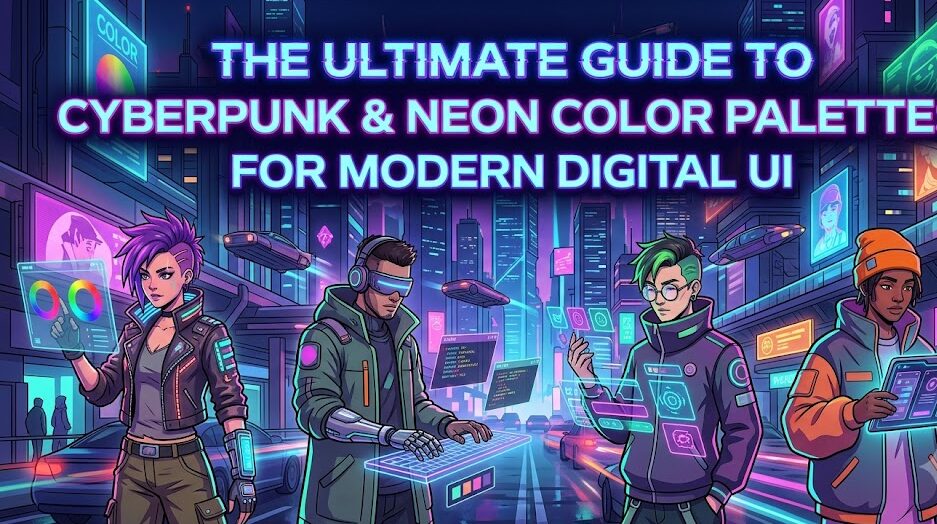
The Ultimate Guide to Cyberpunk & Neon Color Palettes for Modern Digital UI
The cyberpunk aesthetic is more than just glowing neon signs against rain-soaked asphalt; it is an electric visual philosophy born from high-tech, low-life dystopian futurism. In modern digital interface design, web typography, and generative visual art (Midjourney, Stable Diffusion, and Flux), cyberpunk color palettes command immediate attention, stimulate high visual engagement, and establish futuristic brand identity.
However, implementing high-saturation neon hues without overwhelming the user or causing severe visual fatigue is one of the most difficult challenges in modern UI/UX design. In this comprehensive guide, we dissect the anatomy of electric color harmonies, supply five production-ready 5-color token systems with exact HEX and RGB values, analyze WCAG accessibility rules for luminous tones, and demonstrate how to inject these exact color seeds into generative AI prompt pipelines.
—1. The Anatomy of Cyberpunk Color Theory
Traditional print and web color theories emphasize balanced, naturalistic hues. Cyberpunk design aggressively inverts this principle by relying on the edges of the visible digital spectrum—colors that exist almost exclusively within emissive sRGB and Display P3 digital screens.
The Core Triad: Cyan, Magenta, and Deep Obsidian
At the center of nearly every iconic cyberpunk interface lies an ultra-high-contrast triad:
- Electric Cyan (#00F0FF): Represents computational coldness, holographic displays, and synthetic illumination. It carries high perceived luminosity, making it the premier choice for interactive accents and high-priority action tokens.
- Laser Magenta / Hot Pink (#FF007F): Provides an aggressive, emotive counterbalance. It mimics neon gas tubes, underground signage, and high-energy alert states.
- Abyssal Obsidian (#0A0E17): Cyberpunk colors fail completely without deep, low-luminance backgrounds. Pure black (#000000) often looks flat and sterile; a tinted deep navy or charcoal obsidian provides atmospheric depth and realistic light dispersion.
Secondary Modifiers: Acid Yellow and Ultraviolet
To prevent designs from looking like repetitive 1980s synthwave clones, modern cyberpunk palettes introduce secondary dynamic accents: Acid Yellow/Green (#FCEE09) for cautionary hazard indicators and computational telemetry, alongside Deep Ultraviolet (#7928CA) for ambient glow mapping and background depth.
—2. Curated Production Palettes (With HEX, RGB, and Roles)
Below are five production-ready color systems developed for UI design systems, terminal themes, and digital visual assets.
Palette 1: Neo-Tokyo Street Grid (Classic Cyberpunk)
The definitive dystopian palette: piercing neon balanced against deep charcoal blue.
| Color Name | Role | HEX Code | RGB Value |
|---|---|---|---|
| Laser Cyan | Primary Accent / Buttons | #00F0FF |
rgb(0, 240, 255) |
| Neon Magenta | Secondary Focus / Alerts | #FF0055 |
rgb(255, 0, 85) |
| Electric Amber | Telemetry / Tags | #FFE600 |
rgb(255, 230, 0) |
| Void Surface | Card / Panel Background | #121826 |
rgb(18, 24, 38) |
| Abyss Black | Main Canvas Background | #080C14 |
rgb(8, 12, 20) |
Palette 2: Matrix Biosphere (Acid Green & Synthetic Phosphor)
Inspired by vintage terminal displays, synthetic biological labs, and HUD target systems.
| Color Name | Role | HEX Code | RGB Value |
|---|---|---|---|
| Toxic Phosphor | Primary Accent / Text Highlights | #39FF14 |
rgb(57, 255, 20) |
| Bio Cyber Mint | Active Links / Tooltips | #00FFA3 |
rgb(0, 255, 163) |
| Industrial Muted Olive | Secondary Borders / Lines | #2E4A3E |
rgb(46, 74, 62) |
| Terminal Console | Card / Elevated Background | #0D1612 |
rgb(13, 22, 18) |
| Dark Chassis | Base Foundation Background | #050807 |
rgb(5, 8, 7) |
Palette 3: Synthwave Sunset (Vaporwave & Horizon Glow)
Softer, retro-futuristic gradients blending warm purples, magentas, and deep sunset corals.
| Color Name | Role | HEX Code | RGB Value |
|---|---|---|---|
| Sunset Coral | Interactive Buttons / Highlights | #FF5E7E |
rgb(255, 94, 126) |
| Ultraviolet Purple | Header Accents / Gradients | #8B00FF |
rgb(139, 0, 255) |
| Neon Tangerine | Notification Indicators | #FFA400 |
rgb(255, 164, 0) |
| Twilight Indigo | Card Container Background | #1A102F |
rgb(26, 16, 47) |
| Deep Midnight | Page Background Base | #0B0616 |
rgb(11, 6, 22) |
3. UI Implementation: Avoiding Visual Burnout & Contrast Pitfalls
The single greatest error digital designers make when applying neon palettes is over-saturation saturation saturation. When every button, card, header, and border glows at 100% saturation, the interface becomes unreadable in less than 30 seconds.
The 60-30-10 Distribution Rule for Neon UI
To preserve visual ergonomics and comply with UI accessibility guidelines:
- 60% Dominant Base: Deep, non-reflective dark tones (
#080C14,#121826). This absorbs ambient visual energy and gives the user’s eye a neutral plane to rest on. - 30% Structural Grays & Low-Luminance Accents: Dark borders, subtle semi-transparent dividers (
rgba(255, 255, 255, 0.08)), and muted slate body text (#94A3B8). - 10% True Neon Accents: Reserved exclusively for call-to-action (CTA) buttons, interactive status toggles, key metric callouts, and cursor states.
Text Readability & WCAG Compliance
Never place vibrant neon text directly onto bright colored backgrounds. Neon cyan (#00F0FF) and laser yellow (#FFE600) perform exceptionally well against deep obsidian backgrounds, easily achieving WCAG AAA contrast ratios (often exceeding 12:1). However, placing pure magenta on an electric blue background drops the contrast ratio below 2.5:1, failing every modern accessibility threshold.
For long-form reading, avoid 100% neon body copy. Use an ice-tinted slate white such as #E2E8F0 or #CBD5E1 to maintain readability while sustaining the futuristic ambiance.
—4. CSS Code Implementation: Box Shadows, Glows, and Glass Panels
Real neon light radiates into its environment. In CSS, achieving authentic neon luminescence requires layered box-shadow and text-shadow values rather than flat, single-layer borders.
The Layered Neon Glow Formula
/* Clean Multi-Tiered Neon Cyan Glow */
.cyber-button {
  background: #00F0FF;
  color: #080C14;
  font-family: 'Courier New', monospace;
  font-weight: 800;
  text-transform: uppercase;
  letter-spacing: 1.5px;
  padding: 12px 28px;
  border: none;
  border-radius: 4px;
  box-shadow:
    0 0 5px rgba(0, 240, 255, 0.6),
    0 0 20px rgba(0, 240, 255, 0.35),
    0 0 45px rgba(0, 240, 255, 0.15);
  transition: all 0.25s ease-in-out;
}

.cyber-button:hover {
  background: #FFFFFF;
  color: #000000;
  box-shadow:
    0 0 10px rgba(0, 240, 255, 0.9),
    0 0 35px rgba(0, 240, 255, 0.6),
    0 0 70px rgba(0, 240, 255, 0.3);
  transform: translateY(-2px);
}
Futuristic Glassmorphic HUD Card
/* HUD Glass Card with Laser Border */
.cyber-card {
  background: rgba(18, 24, 38, 0.75);
  backdrop-filter: blur(12px);
  -webkit-backdrop-filter: blur(12px);
  border: 1px solid rgba(0, 240, 255, 0.25);
  border-top: 2px solid #00F0FF;
  border-radius: 8px;
  padding: 24px;
  box-shadow: 0 15px 35px rgba(0, 0, 0, 0.5);
}
5. AI Prompt Seeds: Translating Hex Codes into Generative Visuals
When engineering visual prompts for diffusion models (such as Midjourney v6, Stable Diffusion XL, or Flux.1), passing raw hex values like #00F0FF directly into the prompt often yields mixed results because diffusion text encoders interpret semantic vocabulary far more accurately than raw numeric tokens.
To transfer our curated palettes into generative AI engines, pair explicit lighting terminology with specialized atmospheric tokens.
Midjourney v6 Master Prompt Template
Prompt: Cyberpunk hacker terminal in a rain-drenched alleyway, holographic HUD interface floating in midair, lit by dual-tone neon cyan #00F0FF and laser magenta #FF0055, volumetric mist, Ray-tracing reflections on wet pavement, deep carbon shadows, 8k resolution, cinematic cinematic lighting, photorealistic, cinematic shutter angle –ar 16:9 –v 6.0 –style raw
Flux.1 Architectural Studio Prompt
—Prompt: Modern minimalist brutalist interior studio at night, sharp angular furniture, recessed toxic phosphor green and synth violet LED light strips, volumetric ambient occlusion, clean glass reflections, ultra-high contrast, hyper-detailed textures, octane render aesthetic, 35mm film photography grain.
6. Summary Checklist for Cyberpunk Web Design
- Always build upon a dark, non-reflective base (prefer deep navy charcoal over pure #000000).
- Restrict pure neon saturation to buttons, tags, badges, and key icons (10% total interface space).
- Use multi-layered diffuse
box-shadowto simulate authentic gas-tube radiance. - Verify contrast ratios with WCAG testing tools before shipping production components.
- Use semantic lighting keywords alongside hex tokens when prompting AI visual engines.
By treating electric colors as light sources rather than flat fills, you can build interfaces and digital artworks that evoke the energy of future technology without compromising usability and legibility.