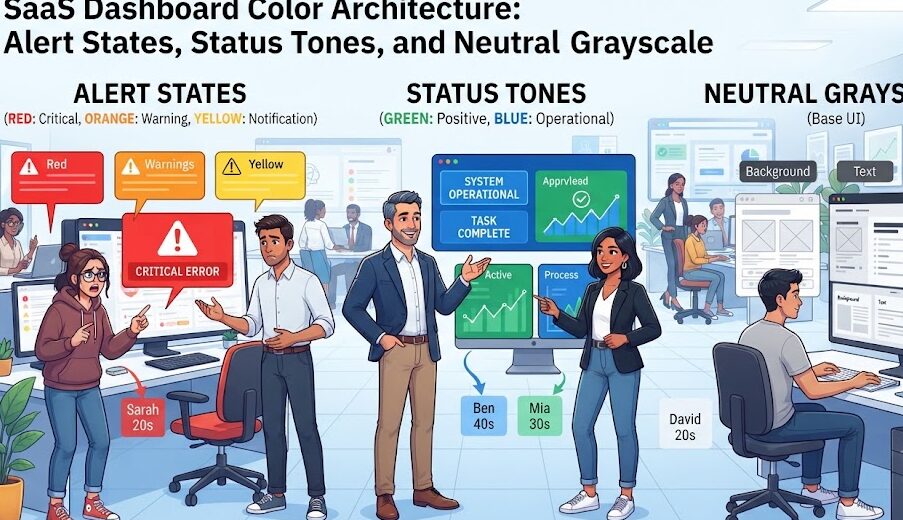
SaaS Dashboard Color Architecture: Alert States, Status Tones, and Neutral Grayscale
Modern software-as-a-service (SaaS) dashboards handle massive amounts of real-time telemetry, transaction flows, and operational data. Users rely on these mission-critical control panels to monitor infrastructure health, parse financial ledgers, and detect system failures in seconds. In high-density analytical environments, color is not an ornamental brand decoration—it is a cognitive warning system.
However, many product teams make a dangerous design mistake: they allow brand colors to compete directly with system status alerts, or they treat neutral grays as lifeless filler. When a routine navigation bar shares the same vibrant red as a critical server downtime notice, or when status badges trigger visual alarm fatigue, the interface breaks down. In this comprehensive technical guide, we break down the architecture of SaaS color systems, build an 11-step neutral slate framework, formulate the universal 4-state alert matrix, examine badge micro-contrast, and deliver production CSS tokens ready for enterprise applications.
1. The Neutral Engine: Why Grayscale Dictates 90% of Dashboard UI
In a production SaaS platform, approximately 85% to 90% of all visual pixels belong to the neutral grayscale palette: table borders, input outlines, body text, sidebar navigation rails, card surfaces, and viewport backdrops. If your neutral system is poorly constructed, no amount of vibrant accent styling can rescue the user experience.
Pure Black & White vs Slate-Tinted Neutrals
Monochrome systems built on pure mathematical grays (e.g., #808080) feel sterile, cold, and flat on modern digital displays. Leading design systems (such as Tailwind CSS, GitHub Primer, and Linear) infuse neutral scales with subtle cool blue or slate undertones. This slight chromatic tinting stabilizes optical white balance, eliminates muddy middle-gray transitions, and creates a clean software aesthetic.
The 11-Step Slate Neutral Token Hierarchy
A resilient neutral system requires 11 calculated value steps to handle light, dark, and elevated surface layers effortlessly:
| Token Name | HEX Code | RGB Value | Functional Assignment |
|---|---|---|---|
neutral-50 | #F8FAFC | rgb(248, 250, 252) | Light Mode App Canvas / Table Row Hover |
neutral-100 | #F1F5F9 | rgb(241, 245, 249) | Subtle Card Container / Input Background |
neutral-200 | #E2E8F0 | rgb(226, 232, 240) | Card Outlines / Inactive Borders |
neutral-300 | #CBD5E1 | rgb(203, 213, 225) | Prominent Grid Lines / Scrollbar Tracks |
neutral-400 | #94A3B8 | rgb(148, 163, 184) | Placeholder Text / Inactive Icons |
neutral-500 | #64748B | rgb(100, 116, 139) | Secondary Captions / Metadata Labels |
neutral-600 | #475569 | rgb(71, 85, 105) | High-Contrast Secondary Copy |
neutral-700 | #334155 | rgb(51, 65, 85) | Active Table Headers / UI Icons |
neutral-800 | #1E293B | rgb(30, 41, 59) | Dark Mode Surface / Panel Borders |
neutral-900 | #0F172A | rgb(15, 23, 42) | Primary Typography Anchor (>15:1 Ratio) |
neutral-950 | #020617 | rgb(2, 6, 23) | Dark Mode Canvas Foundation |
2. The 4-State System Alert Architecture (Info, Success, Warning, Error)
To avoid confusing operators, SaaS platforms must establish an inviolable status color matrix. Brand identity colors must step back to ensure operational alerts remain unambiguous.
Universal System Status Palette Architecture
| State | Base Tone | Light Pill Fill | Dark Text / Icon | Semantic Role |
|---|---|---|---|---|
| Informational | #0284C7 | #E0F2FE | #0369A1 | System updates, scheduled maintenance, new features |
| Success | #16A34A | #DCFCE7 | #15803D | Completed transfers, live status, healthy telemetry |
| Warning | #D97706 | #FEF3C7 | #B45309 | Quota limits near capacity, expiring certificates |
| Error / Critical | #DC2626 | #FEE2E2 | #B91C1C | Service outage, failed payment, security breach |
| Neutral / Muted | #64748B | #F1F5F9 | #334155 | Draft mode, archived records, offline nodes |
3. Status Badge Anatomy: The Dual-Tone Contrast Formula
A frequent anti-pattern in amateur dashboards is rendering status badges with high-saturation backgrounds and pure white text (e.g., solid red #DC2626 badge with white text). In a dense data table with 50 rows, dozens of solid red blocks create overwhelming visual vibration that distracts from reading numbers.
The Modern “Soft Fill + Hard Stroke” Formula
Modern enterprise platforms utilize a three-part component token recipe for status pills:
- Surface Fill (Light Tint): A 50-step or 100-step tint (e.g.,
#DCFCE7for success) providing a gentle ambient boundary without overpowering adjacent text. - Perimeter Border (Subtle Reinforcement): A 200-step translucent stroke (e.g.,
rgba(22, 163, 74, 0.2)) maintaining crisp edge definition across varying screen calibrations. - Typography Anchor (Dark Shade): A 700-step or 800-step shade (e.g.,
#15803D) delivering contrast ratios exceeding 7:1 (WCAG AAA) against the light pill fill.
4. Production CSS Implementation: Dashboard Status System
Below is a clean, scalable CSS architecture establishing dashboard status tokens alongside accessible table badge components:
5. Colorblind Mitigation in SaaS Telemetry
In analytical dashboards, red/green status pairing poses a high risk for color vision deficient operators. When an emergency outage occurs, a colorblind engineer must not be forced to guess whether a server cluster node is green (operational) or red (down).
The Three Pillars of Accessible Dashboard Telemetry
- Pillar 1: Distinct Geometric Shapes: Pair every status color with a distinct icon shape. Use a green checkmark circle for healthy nodes, an amber triangle for warning thresholds, and a red octagon or cross for terminal failures.
- Pillar 2: Explicit Textual Labels: Always include the textual status descriptor (e.g., “Active”, “Degraded”, “Offline”) directly adjacent to status dots or badges.
- Pillar 3: Subtle Micro-Pulsing for Critical Outages: For Level 1 fatal alerts, introduce a gentle, accessible CSS pulse animation on the indicator dot to draw peripheral vision attention without triggering photosensitive hazards.
6. Final Production Checklist for SaaS Color Architecture
- Infuse the neutral grayscale system with a slight slate tint (0.5%–1.5% cool hue) to eliminate sterile gray rendering.
- Reserve brand primary colors strictly for navigation, major actions, and interactive links; never let brand accents clash with alert states.
- Construct status badges using the soft fill + dark anchor text formula to avoid visual vibration in high-density tables.
- Verify that all badge text combinations pass WCAG AAA (7:1) contrast ratios on both light and dark card surfaces.
- Never rely exclusively on color to convey status: always pair alert tones with explicit icons and text strings.
By treating color as an exact information hierarchy rather than aesthetic decoration, SaaS platforms build intuitive operational clarity that empowers teams to process complex data streams and respond to critical system events with speed and precision.