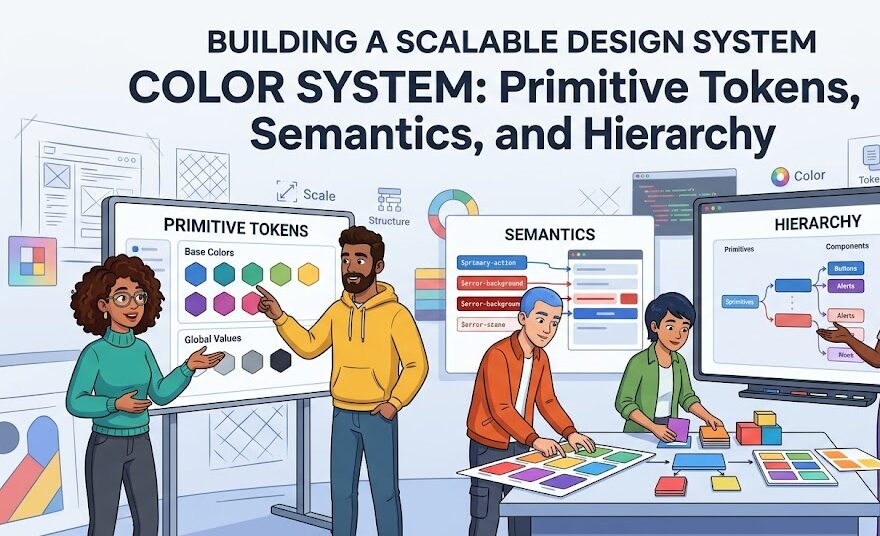
Building a Scalable Design System Color System: Primitive Tokens, Semantics, and Hierarchy
In modern enterprise product design, color is rarely just a stylistic flourish; it is a critical communications protocol. As digital software ecosystems expand across responsive web platforms, iOS, Android, and internal administrative tooling, maintaining chromatic consistency becomes a complex technical challenge. When engineering teams hardcode raw hexadecimal strings like #2563EB directly into stylesheets or component code, design debt accumulates at an alarming velocity.
Without a structured token architecture, rebranding an enterprise platform, maintaining accessible contrast ratios, or introducing a seamless dark mode requires months of tedious manual code audits. Industry-standard design systems—such as Adobe Spectrum, Shopify Polaris, and Google Material Design 3—solve this breakdown using a three-tier color token hierarchy. In this comprehensive technical guide, we deconstruct the architecture of primitive, semantic, and component tokens, examine mathematical step generation, configure dark-mode aliasing, and supply production-ready CSS code for modern frontend teams.
1. The Three-Tier Token Architecture Deconstructed
A scalable color system separates raw color values from their functional purpose in user interfaces. This separation is achieved through three distinct abstraction layers:
Tier 1: Global / Primitive Tokens (The Raw Palette)
Primitive tokens represent the total chromatic palette available to your organization. They describe what the color looks like, never what it does.
- Naming convention:
color-[family]-[step](e.g.,color-blue-500,color-slate-900). - Characteristics: These values are static, context-agnostic, and should never be consumed directly by UI components. They form the foundational palette from which higher-level tokens draw their definitions.
Tier 2: Semantic / Alias Tokens (Context & Intent)
Semantic tokens map primitive color values to explicit design intentions. They communicate why and where a color is applied across the interface.
- Naming convention:
[category]-[role]-[variant](e.g.,surface-primary,text-interactive-hover,border-critical). - Characteristics: This is the operational engine of your design system. When switching between light mode and dark mode, semantic tokens point to different primitive tokens without requiring any modifications to underlying component templates.
Tier 3: Component-Specific Tokens (Scoped Encapsulation)
Component tokens provide hyper-targeted overrides for isolated design components (e.g., buttons, date pickers, or navigation drawers).
- Naming convention:
[component]-[element]-[property]-[state](e.g.,btn-primary-bg-default,input-border-focus). - Characteristics: Component tokens consume semantic tokens. They insulate individual UI elements, allowing designers to adjust a button’s specific hover state without unexpectedly altering global link colors across the entire application.
2. Mathematical Chroma Stepping: Generating 10-Step Value Scales
A common failure in naive design systems is generating lighter and darker steps by simply adjusting brightness or opacity. This creates murky mid-tones and inconsistent contrast jumps. Modern scalable design tokens use perceptually uniform color spaces like OKLCH to calibrate stepped scales from 50 (lightest tint) to 950 (deepest shade).
Standard 10-Step Primitive Blue Scale (Brand Core)
| Token Name | HEX Code | RGB Value | Luminance Intent |
|---|---|---|---|
color-blue-50 | #EFF6FF | rgb(239, 246, 255) | Tinted Canvas / Subtle Highlight |
color-blue-100 | #DBEAFE | rgb(219, 234, 254) | Soft Pill Backgrounds |
color-blue-200 | #BFDBFE | rgb(191, 219, 254) | Interactive Focus Halos |
color-blue-300 | #93C5FD | rgb(147, 197, 253) | Disabled Action States |
color-blue-400 | #60A5FA | rgb(96, 165, 250) | Dark Mode Primary Interactive |
color-blue-500 | #3B82F6 | rgb(59, 130, 246) | Default Interactive Base |
color-blue-600 | #2563EB | rgb(37, 99, 235) | Primary CTA (Light Mode Standard) |
color-blue-700 | #1D4ED8 | rgb(29, 78, 216) | Interactive Hover Trigger |
color-blue-800 | #1E40AF | rgb(30, 64, 175) | Active / Pressed State |
color-blue-900 | #1E3A8A | rgb(30, 58, 138) | Deep Text Anchor |
color-blue-950 | #172554 | rgb(23, 37, 84) | Dark Mode Surface Void |
3. Semantic Token Mapping: Light Mode vs Dark Mode
The true power of semantic aliasing becomes evident during theme switching. The underlying markup references var(--surface-primary) rather than a hardcoded HEX code. The token architecture handles value remapping automatically:
Semantic Alias Mapping Matrix
| Semantic Token Name | Light Mode Primitive | Dark Mode Primitive | Functional Role |
|---|---|---|---|
surface-canvas | color-slate-50 (#F8FAFC) | color-slate-950 (#020617) | Main Viewport Base |
surface-raised | color-white (#FFFFFF) | color-slate-900 (#0F172A) | Cards, Panels, Modals |
text-primary | color-slate-900 (#0F172A) | color-slate-50 (#F8FAFC) | Headings & Core Copy |
text-muted | color-slate-500 (#64748B) | color-slate-400 (#94A3B8) | Secondary Captions |
border-subtle | color-slate-200 (#E2E8F0) | color-slate-800 (#1E293B) | Structural Dividers |
action-primary-default | color-blue-600 (#2563EB) | color-blue-500 (#3B82F6) | Primary CTA Button |
action-primary-hover | color-blue-700 (#1D4ED8) | color-blue-400 (#60A5FA) | Button Hover Transition |
4. Production CSS Implementation: Scalable Token Architecture
Below is a clean, standards-compliant CSS token architecture that frontend developers can drop directly into any web application or design system framework:
5. Governance: Preventing Design System Entropy
Establishing a design system is only half the battle; maintaining its integrity across cross-functional product squads requires strict operational governance:
1. Enforce Linter Guardrails in Code Repositories
Configure Stylelint or ESLint rules that actively flag and block hardcoded hex values, RGB values, or Tier 1 primitive tokens in component stylesheets. Developers should only be permitted to consume Tier 2 semantic or Tier 3 component tokens.
2. Synchronize Figma Variables with Code via Style Dictionary
Modern product pipelines utilize Amazon’s open-source Style Dictionary or GitHub Actions to export design tokens directly from Figma Variables into JSON files. This JSON single-source-of-truth automatically compiles into CSS variables, SCSS variables, Swift assets for iOS, and XML/Compose tokens for Android.
6. Final Production Checklist for Color Token Systems
- Never allow engineers or designers to apply Tier 1 primitive tokens directly to UI components.
- Always assign intent through Tier 2 semantic aliases (e.g.,
surface-primary, notblue-500). - Test every semantic pair against WCAG 2.2 AA (4.5:1) standards in both light and dark display modes.
- Automate token delivery from Figma to code repositories via continuous integration (CI) pipelines.
- Structure stepped primitive scales using perceptual color models (OKLCH) to maintain consistent lightness jumps.
By investing in a disciplined, three-tier color token hierarchy, your organization transitions from fragile, fragmented UI design to a resilient digital infrastructure that scales effortlessly across multiple platforms, themes, and global brands.